Finding My AI Workflow Without Chasing the Shiny
Part of Round 1 · Roblox. New here? Start with Two Roblox Games, Four Months, $929 to Earn 66 Cents.
After four months of building solo with AI, the skill that mattered most had nothing to do with any particular tool. It was learning to spot which tools and habits actually fit how I work. Most days, my real job was noticing where my own process was slow or clunky, naming the problem, then finding the fix that fit.
This post is a tour of the workflow I landed on: what I use when I’m designing, when I’m coding, when I’m testing, and how I got there. Some of it came together cleanly. Some of it cost me a week of chasing the wrong thing.
(For context, this is the second post of a series about building two Roblox games solo with AI in four months. The first post is the data retrospective.)
One note on timing: this describes how I worked on Roblox between February and June 2026. I’ve since moved to other projects, and the setup keeps changing, so read it as a snapshot of that stretch rather than a current how-to.
The shape of a day
By the time I shipped my second game, my working day went something like this. I’d think through a design problem with Gemini, sometimes for hours. Once the design landed, I’d hand it to Claude Code with a structured review pass before any code got written. Then I’d run two or three Claude Code terminals in parallel, each building something, while I bounced between them. At the end, I’d run automated tests, then play the build in Roblox Studio to feel what changed.
That’s the picture. Every part of it took a few wrong turns to get to.
When I’m designing
Most of my design work happens in a long conversation with Gemini. I’ll start with Deep Research to scope a market: what’s actually shipping in this genre on Roblox, what mechanics are common, what’s underexploited. I’ll send Gemini a YouTube link of a popular game and ask “what’s working here, what’s not, why do you think it’s fun to play”. When I’m stuck on a design choice, I’ll write out what I think and let Gemini push back.
ChatGPT plays two smaller roles. One is speech-to-text. I prefer speaking to typing because it’s faster, and I lose less of my train of thought than I do when typing. So, I’ll talk into ChatGPT, copy the transcript, paste it into the Gemini thread. Funnily, it’s the cleanest STT I’ve found. The other is “third eye”: once a design is mostly settled, I’ll sometimes show it to ChatGPT for an outside read. Different model, different blind spots.
When the design is final, Gemini has one last job: turn it into a prompt for the coding agent. The prompt names the feature, the scope, the files likely to be touched, the constraints. That handoff matters. A vague prompt costs me an hour of cleanup later.
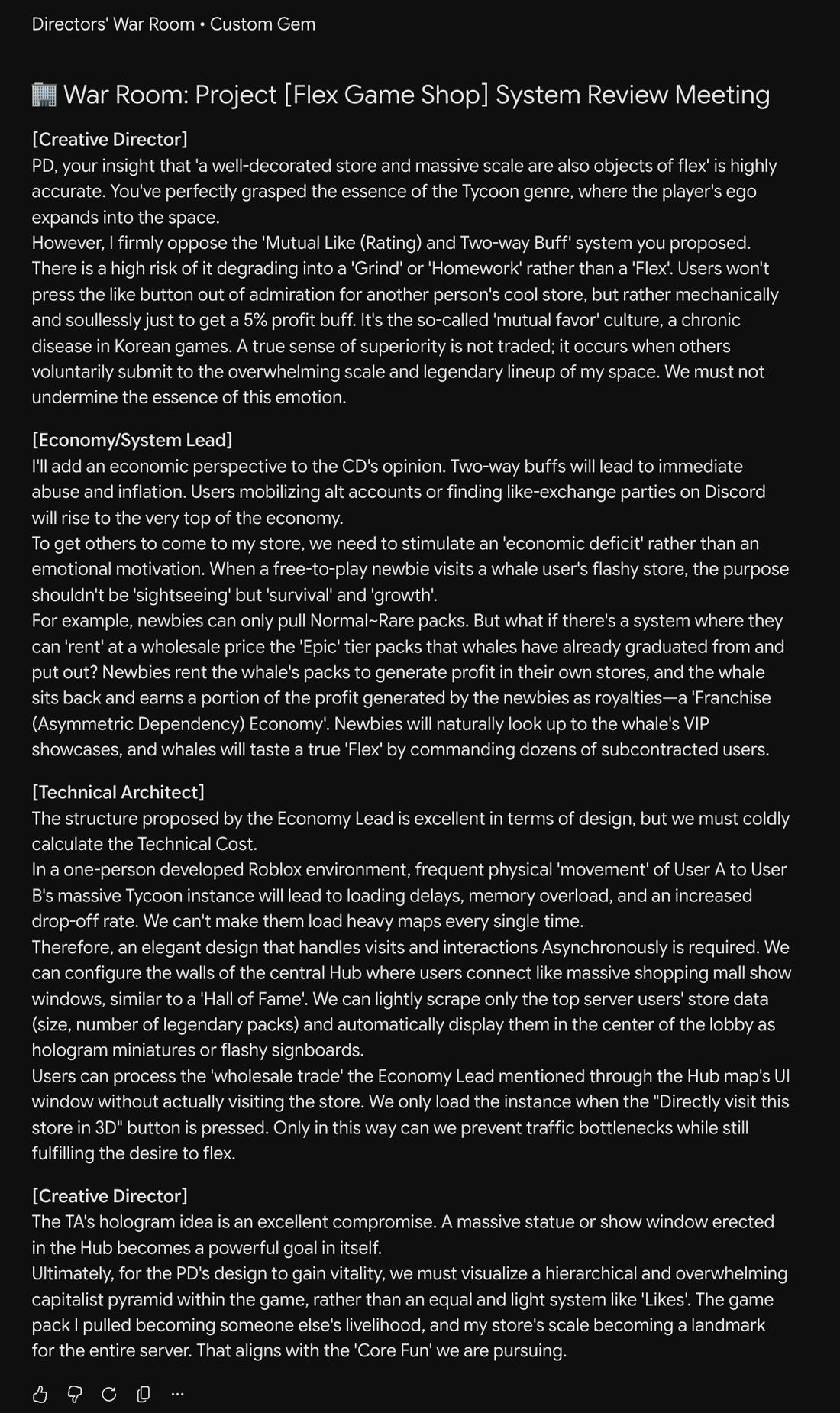
The one design tool I tried and dropped was Gemini Gems. I built what I called a Director’s War Room: one Gem instructed to simulate three lead personas at once (Lead Game Designer, Technical Director, Product Manager), with me playing Executive Producer. The prompt was explicit. They had to argue, not deliver verdicts. They had to build on each other’s ideas.
The output didn’t work. Each persona delivered its take, and the next acknowledged it in a line before going back to its own lane. None of them actually thought with each other. I think I was asking for too much. I wanted the AI to simulate something genuinely human, three people building on each other’s thinking in real time, and that kind of high-order interaction was beyond what it could do.
When I’m coding
The coding setup now: VS Code with Claude Code, two or three terminals running in parallel, each on a different feature, with automated tests running outside Roblox. Before I let it build anything major, I have Claude run two review passes over the design Gemini wrote: one playing a designer poking at scope and edge cases, one playing a senior engineer poking at the architecture. Then it builds.
That setup is the result of three corrections.
The first was getting out of Roblox Studio. In the first few weeks, I tried to split the work cleanly. The AI would handle scripts. I’d handle the Studio side: anything that lived in the visual tree of the game engine. Building UI by clicking screens together, setting up the channels that pass data between server and client, placing models in the right part of the scene. The AI would write code that referenced these by path.
What I’d pictured was a kitchen. I’d be the chef: tasting, seasoning, deciding what the dish becomes. The AI would do the cooking. What I’d actually built was a kitchen where the AI cooked and I prepped. I diced the onions, measured the flour, sourced the garlic. The cooking was fast. The prep was where my afternoons went, and the AI couldn’t help me there.
By the third feature, it stopped feeling like development. It felt like data entry, like the AI was handing me the work instead of the other way around.
So I moved everything I could into code. The interface, the data passing between the server and the players, the config, the game logic. Anything that didn’t strictly have to live as a hand-placed 3D object got pulled into code, where the AI could actually reach it. The prep lists stopped. The AI could finish what it started.
The rule I’d give my four-month-ago self: the more of the work your AI can see and touch, the less of it stalls on you.
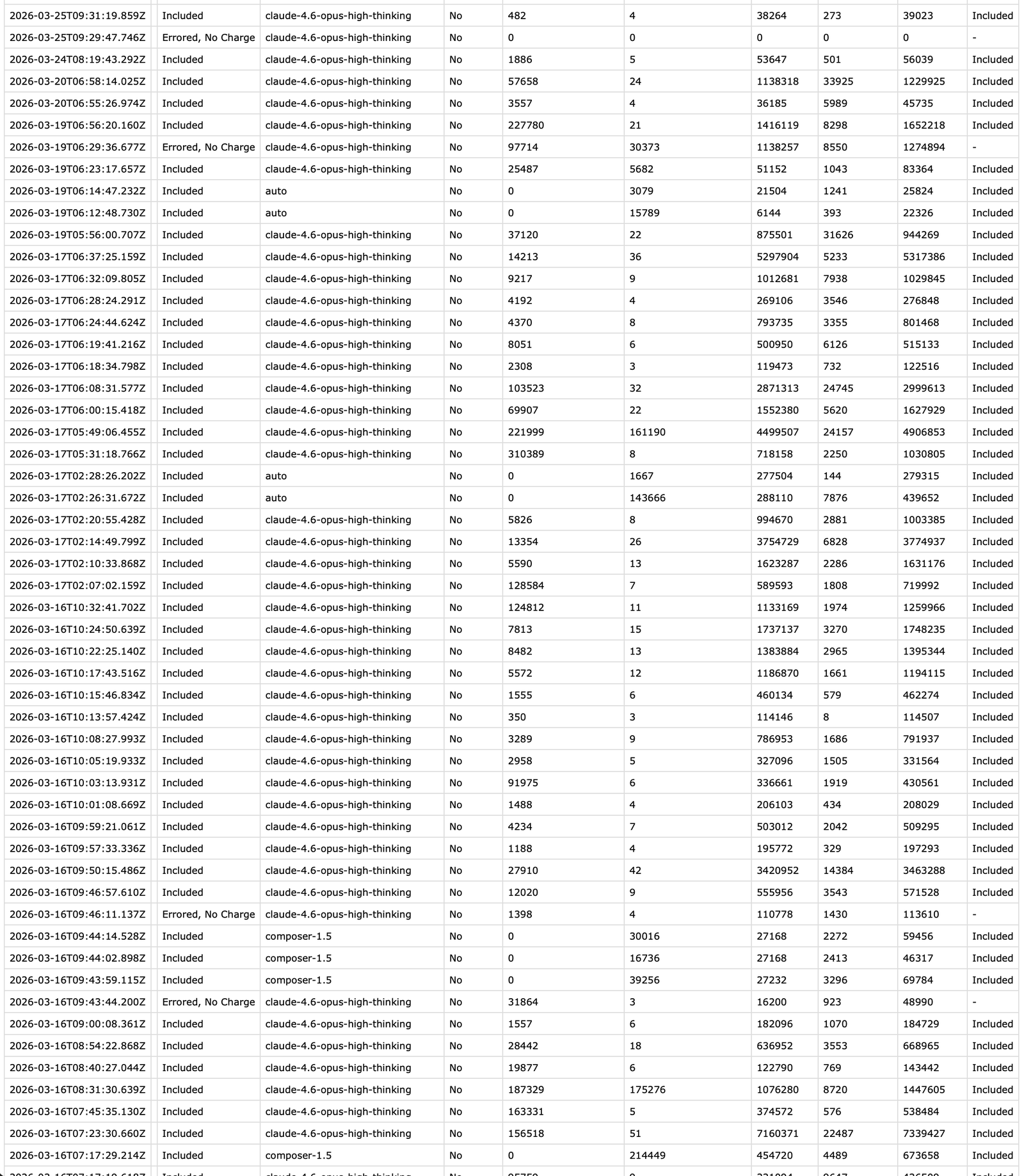
Before that setup settled, my coding ran through Cursor for two months. The usage log is a decent picture of what solo AI development actually looks like from the inside: 870 requests, 603 of them to Claude Opus, about 760 million tokens. One person, one codebase, two months.
The second was a one-week tool review. Between the two games, I gave myself one week to evaluate the AI coding tools and trends people were screaming about online. Conductor, gstack, Superpowers, Gemini Gems. Each one had a developer somewhere calling it the next big thing.
What stuck: gstack, the rules file I was already keeping (a plain markdown file of standing instructions for the agents), and one trick from Conductor: a sound that plays when a task finishes, which I wired into that rules file so Claude Code pings me when it’s done or needs input.
What didn’t: Conductor’s branch-and-merge workflow forced constant merges before Studio picked up changes, the worst possible fit for fast solo iteration. I dropped it after five days. The tool with the most positive buzz was the worst fit for my specific shape of work.
Superpowers overlapped with gstack, but the two solve different problems. Superpowers enforces a disciplined process, the kind that keeps one developer’s code from breaking another’s. Working alone, that solved a problem I didn’t have. The thing I was actually short on was other points of view, and gstack gives you those by having Claude play different roles: a designer, a senior engineer, a QA lead. So I kept gstack and let Superpowers go.
I had spent a week trying out the trends and integrating them into my workflow, only to pluck most of them out again. The lesson stayed: what is my workflow missing? is a different question from what is everyone else using?
The third came after I started running parallel terminals. I was running two or three Claude Code terminals in parallel, each working on a different feature. This solved one problem (more shipping per day) and created another (more contexts to hold in my head). The first few times an agent told me a task was done, I’d scroll up the chat history trying to remember what task.
I added a new rule to my rules.md. Every task an agent completes ends with three things: a one-line summary of what was done, debug prints inserted into the code paths so I can verify at runtime, and a short list of how I should test the feature. No exceptions. The summary is so I don’t have to reload context. The debug prints are so I’m never trusting “it works” on the agent’s word. The test list is so I don’t forget what verification means for this specific change.
It sounds small. It saved me from a lot of “wait, what was it?” moments.
When I’m testing
I spent more time testing than I expected to. Claude Code runs automated tests on every change, and they catch what they can: syntax errors, broken types, the obvious logic failures. What they can’t catch is whether the feature actually does what I wanted. A button does the right thing but at the wrong moment. An animation triggers but doesn’t reset. State gets out of sync after a specific input sequence. Most of what ships as a bug isn’t a test failure; it’s a small mismatch between what I described and what got built.
So most of testing happens in Roblox Studio, with me playing. Almost every feature has a moment where it works in tests but breaks the moment I touch it three different ways. I’d ship a feature in fifteen minutes and then spend an hour playing it to find what was wrong.
That’s the single-player ceiling. Multiplayer is a separate wall, and it’s the next post.
The lesson under all of this
Almost everything I changed started from the same place: a specific problem in my own process.
The trap is starting from the other end, with what is everyone else using right now? That question only ever collects tools. It never tells you whether a tool fixes something you actually have. Start from your own problem, and the question of which tool, if any, tends to answer itself.
This doesn’t mean ignoring new trends and hype. They might be helpful, and might genuinely change your daily workflow. But the question to ask is what problem it solves in your workflow. Does it actually solve it, or does it just look fancy?
What’s next
The next workflow problem the codebase can’t solve is the social one. When I tried to test multiplayer for Yeet Arena, I hit a wall the AI couldn’t help me cross. It could write the multiplayer logic. It just couldn’t be the second player joining the server, or the third leaving mid-round.
That’s the next post.